In the app
The real thing, not a mock-up.
Cadence itself, running a demo show. Clips are recorded in real time from Cadence's own renderer.
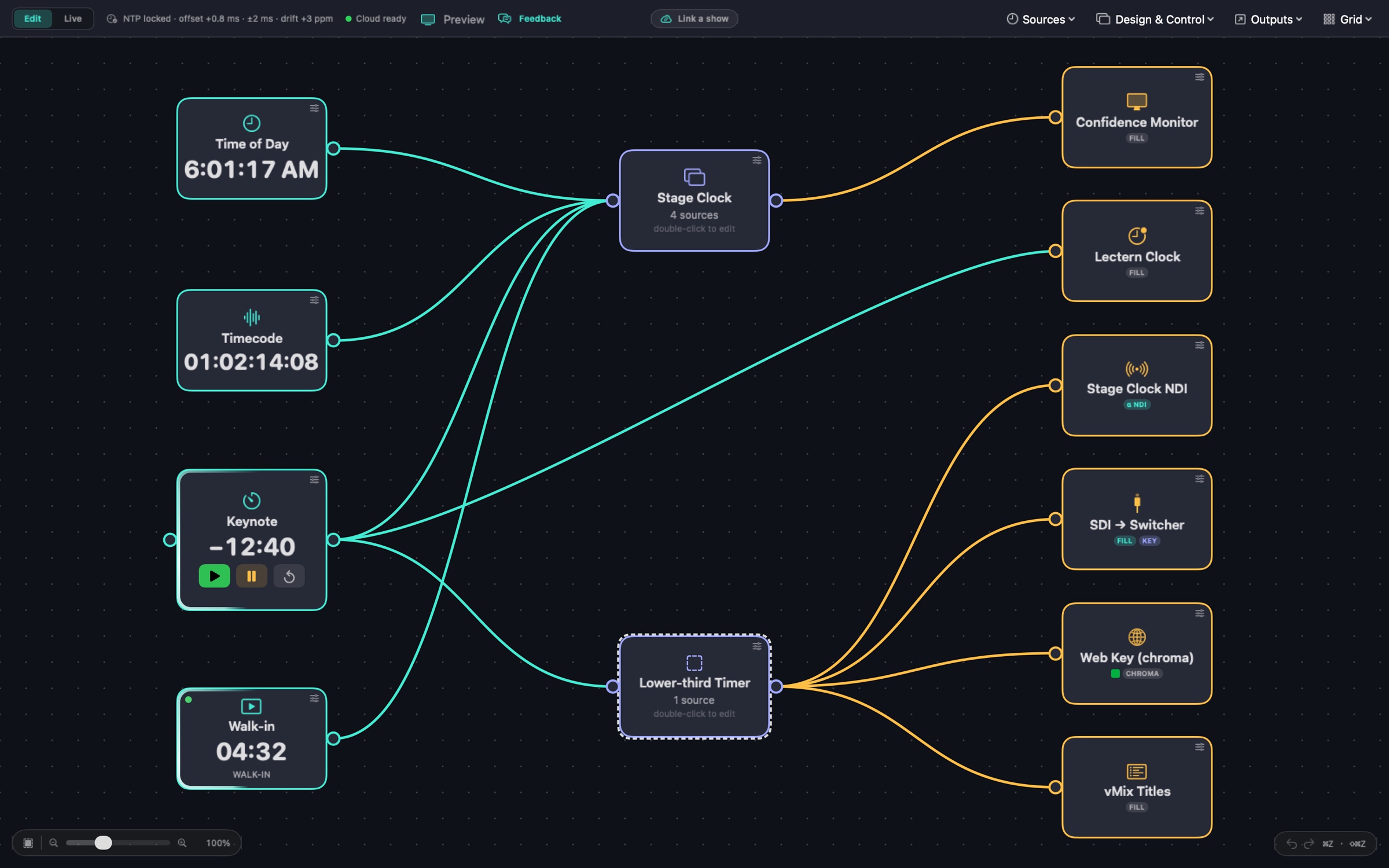
Cadence draws your timers and clocks on the GPU and sends them as an NDI® source, transparent background included, so they drop into vMix, OBS or any NDI switcher as a clean, keyable layer.
Lay out a countdown, a count-up, a time of day or a run of show in the Designer. Turn on Transparent (key) for an overlay.
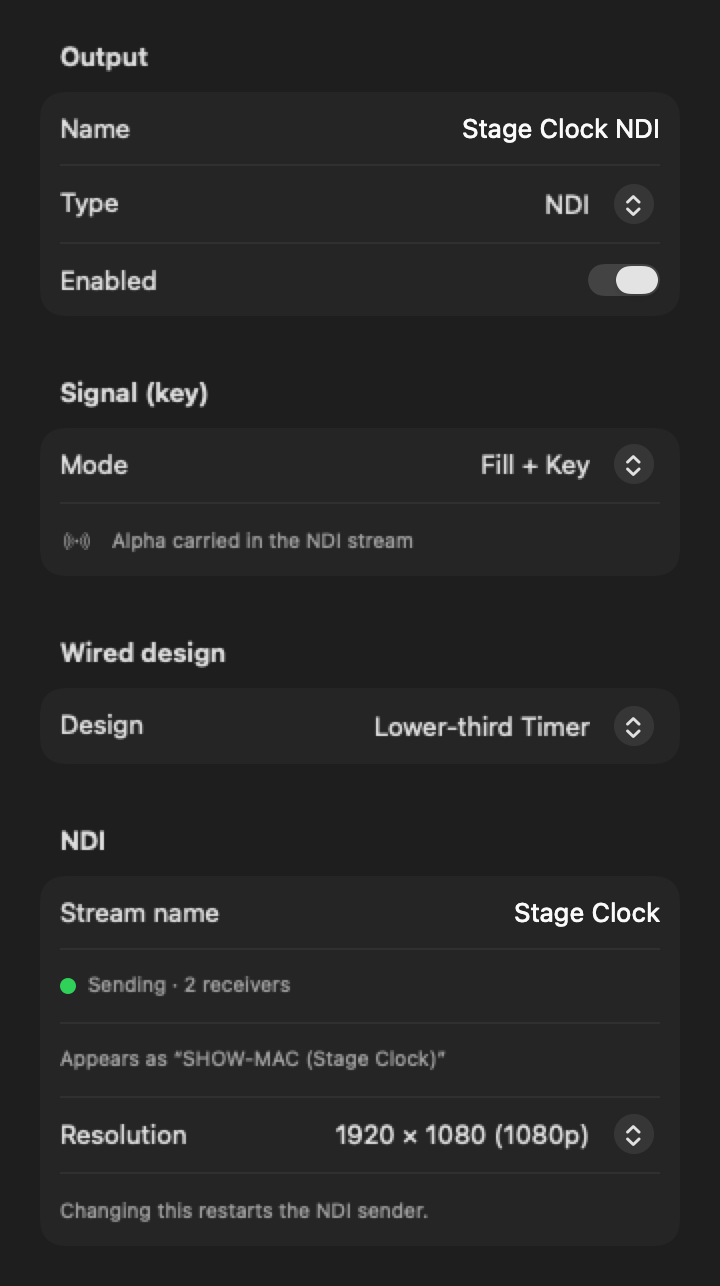
Choose Outputs ▸ NDI, give the stream a name, and pick a resolution. Wire your design into it.
The panel shows the name receivers see ("Appears as") and how many are watching. Select it in vMix, OBS, a switcher or NDI Studio Monitor.
Cadence itself, running a demo show. Clips are recorded in real time from Cadence's own renderer.
Set Signal (key) to Fill + Key and the transparency travels inside the NDI stream. There's no second matte feed to route.
Match the design, or send 3840 × 2160, 1920 × 1080 or 1280 × 720. Every NDI and DeckLink output runs at 59.94 fps.
All video outputs share one frame clock. Outputs showing the same design at the same size share one render, so extra streams cost little.
Add as many NDI outputs as the show needs: a stage clock, a lower-third timer and a run of show, each its own named source.
The panel reads Sending · N receivers, so you know the switcher has it before you go live.
Countdowns, count-ups, time till a set time, time of day, LTC, ProPresenter and vMix timers, messages, polls and the run of show can all go out over NDI.
Cadence sends NDI video only: no audio, and it doesn't receive NDI sources. Video is 59.94 fps progressive.
Yes. Turn on Transparent (key) in the design and set the output's Signal to Fill + Key. The alpha channel is carried in the NDI stream, so vMix, OBS and NDI switchers see a keyable layer.
Cadence includes the NDI runtime it needs. If the NDI panel ever reports that the runtime isn't installed, installing NDI Tools from ndi.video fixes it.
1280 × 720, 1920 × 1080 or 3840 × 2160, always at 59.94 fps progressive.
Yes. Each NDI output is its own named source, and you can add as many as your Mac can drive.
No. NDI runs on your local network, and the display, NDI and SDI outputs all work offline.
No, it's video only.
The Cadence beta is free: every feature unlocked for 2 months, on up to 2 Macs.