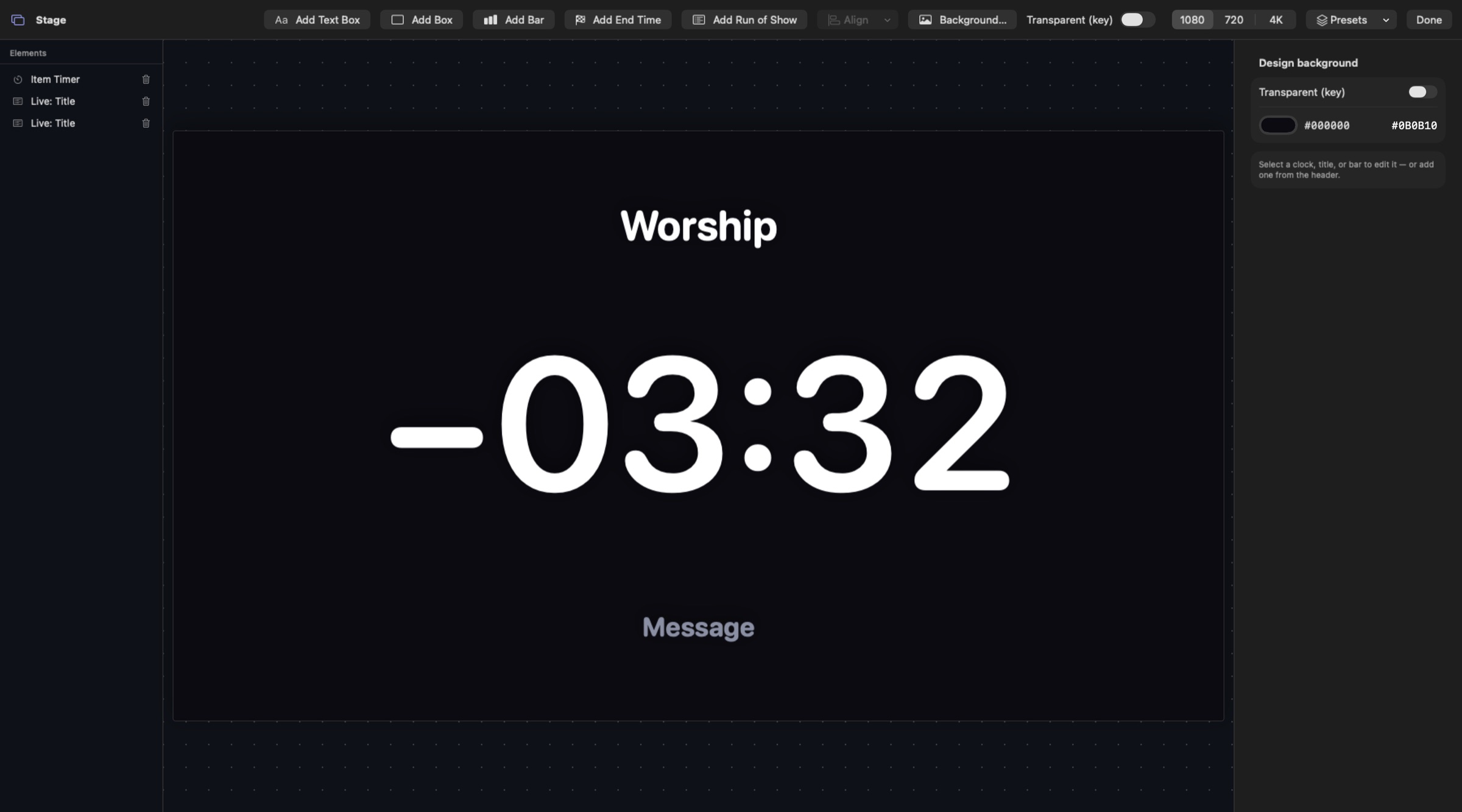
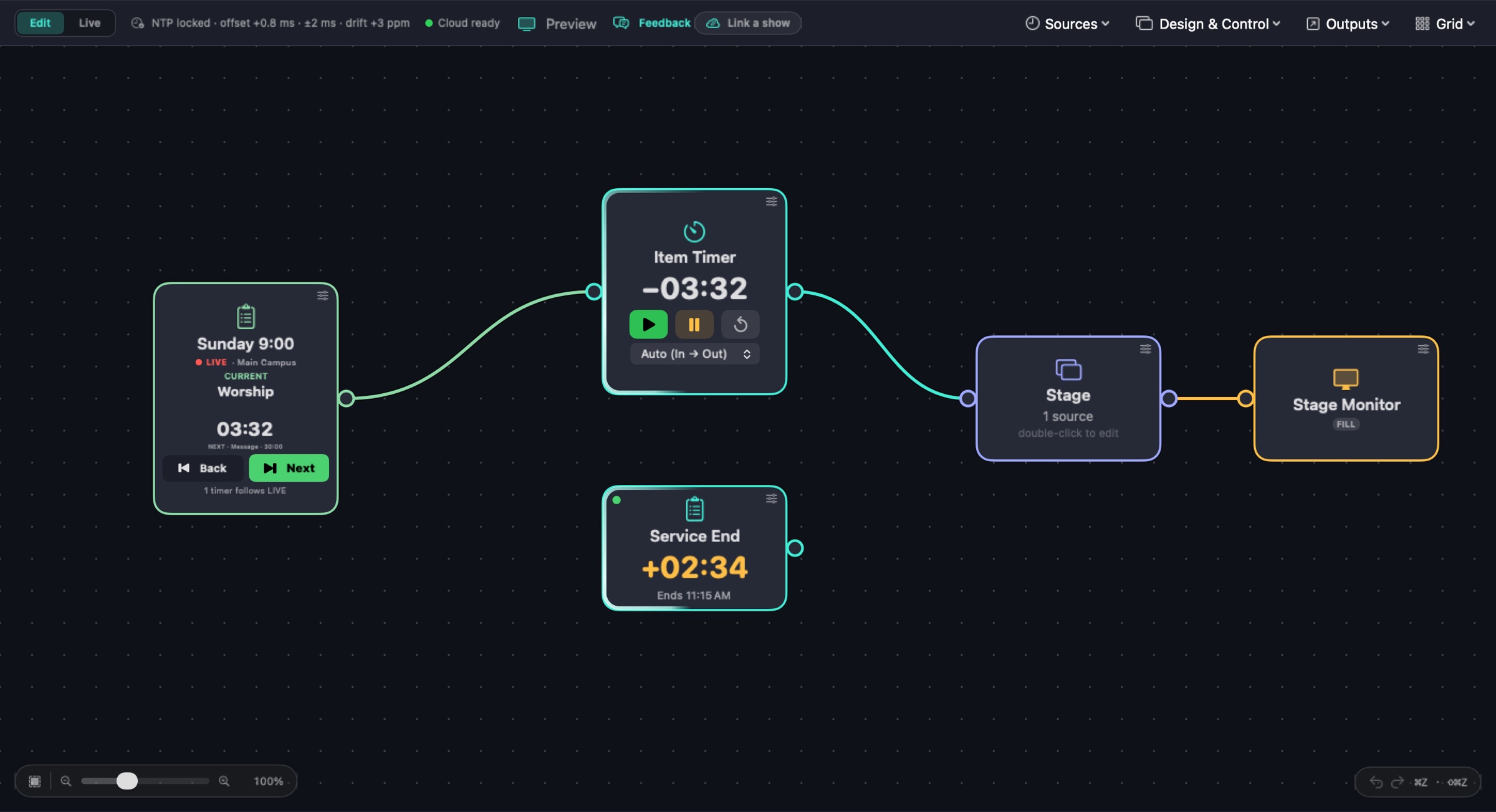
Sign in with Planning Center, pick a service type, and Cadence follows whatever service goes live in Services LIVE. Show the current item's countdown, what's next, and how far ahead or behind the service is running, on any display, NDI®, SDI or web output.

Add a Show Schedule, choose Planning Center, and click Sign in with Planning Center. Cadence only reads Services: plans, items and LIVE.
Choose the service type to follow — Main Campus, Youth, any of them. There's nothing to pick each week: Cadence follows whichever service goes live in it.
Wire the schedule into timers and designs. Text boxes can show the Current or Next item, and wired timers run with each item.
Cadence itself, running a demo show. Clips are recorded in real time from Cadence's own renderer.

Time left in the item Services LIVE is on — amber near the end, then red and counting on as + when it runs over.
Tie text boxes to the live item and the one after it, for a stage display or a lower third.
Wired timers load each item's length and run to its real end in Services LIVE, overrun included, kept in step every few seconds.
A Service end clock projects when the service will finish and shows how far ahead (−) or behind (+) it is running.
Take control, then step Back and Next from the schedule tile. The tile says where LIVE is going until it gets there.
Add a schedule per service type and each follows its own live service.
Cadence reads your plans and Services LIVE, and moves LIVE only when you press Back, Next or Take Control. Controlling LIVE needs a Planning Center account that's allowed to.
Yes — Cadence follows Services plans and Services LIVE. Sign in with any account that can see the service type.
No. Pick the service type once; Cadence follows whichever plan in it goes live in Services LIVE. You can pin one specific service if you want to.
No. It reads plans and items. It only moves Services LIVE when you press Back, Next or Take Control in Cadence.
The countdown turns red and counts on as +0:42, just like LIVE, and the Service end clock shows how late the service is running.
Yes. Add a schedule per service type (Main Campus, Youth…); each follows its own live service.
The Cadence beta is free: every feature unlocked for 2 months, on up to 2 Macs.